
Groups
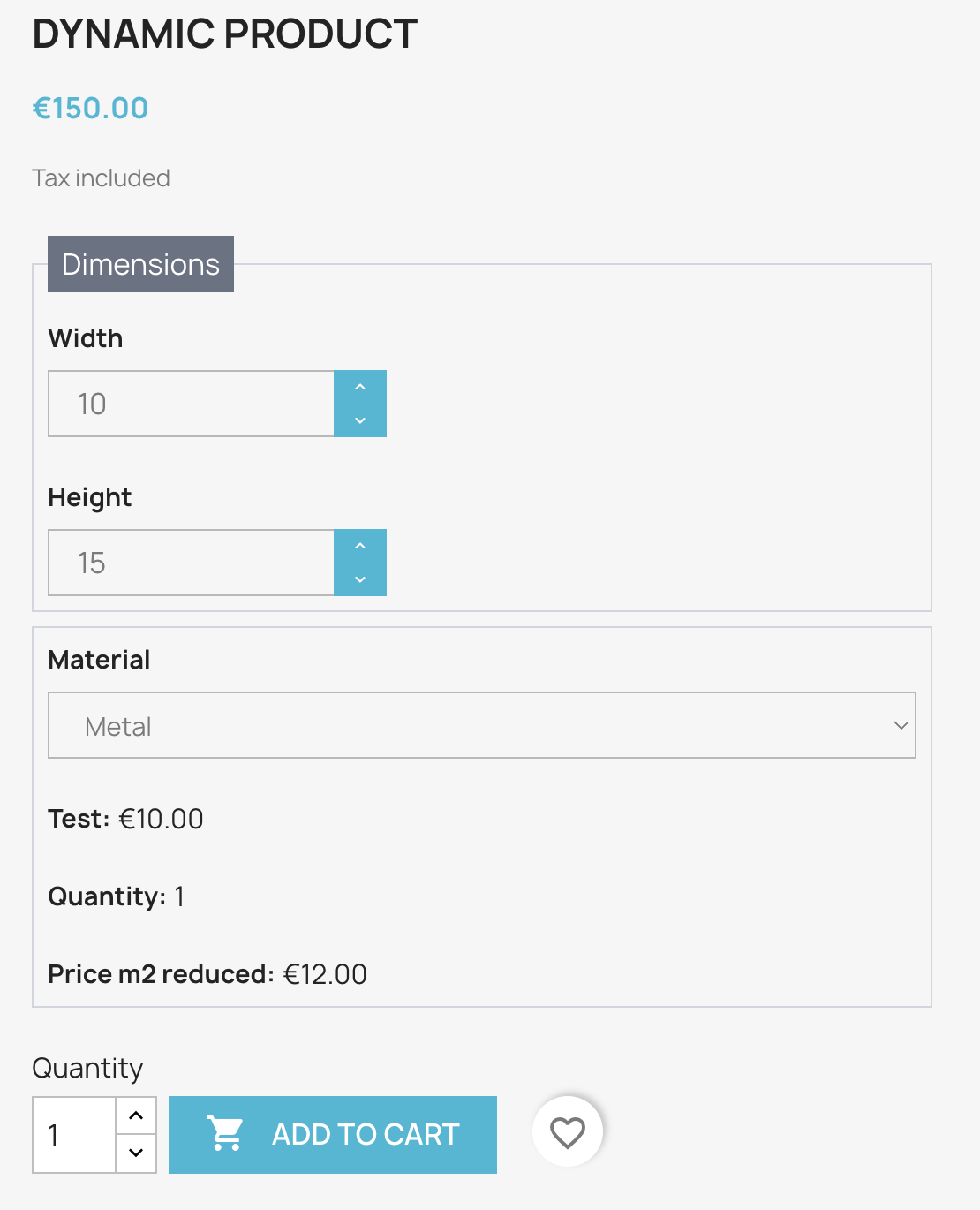
You can group fields to make your forms more organized and easier to fill.
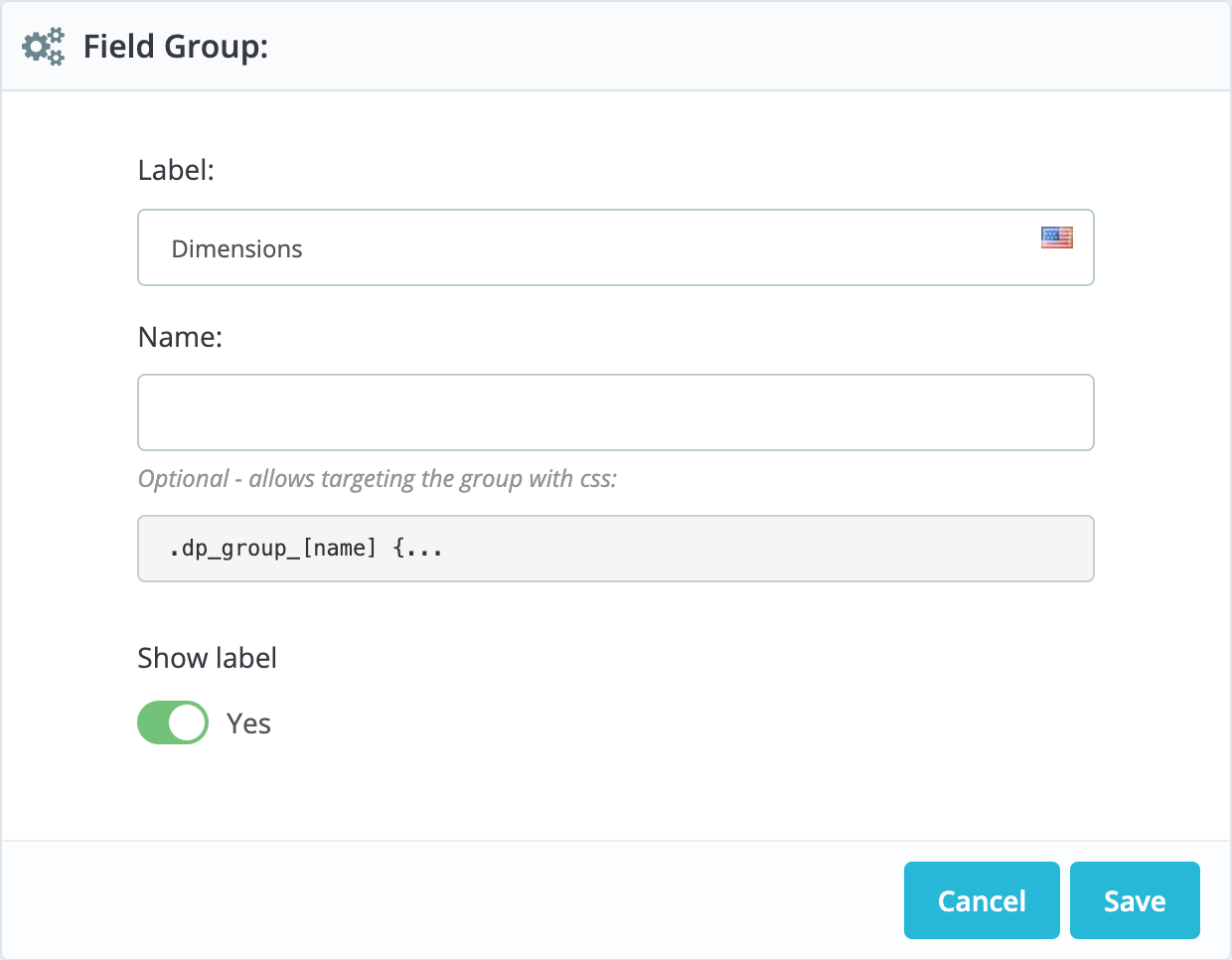
To start, add your groups in the main configuration page of the module.
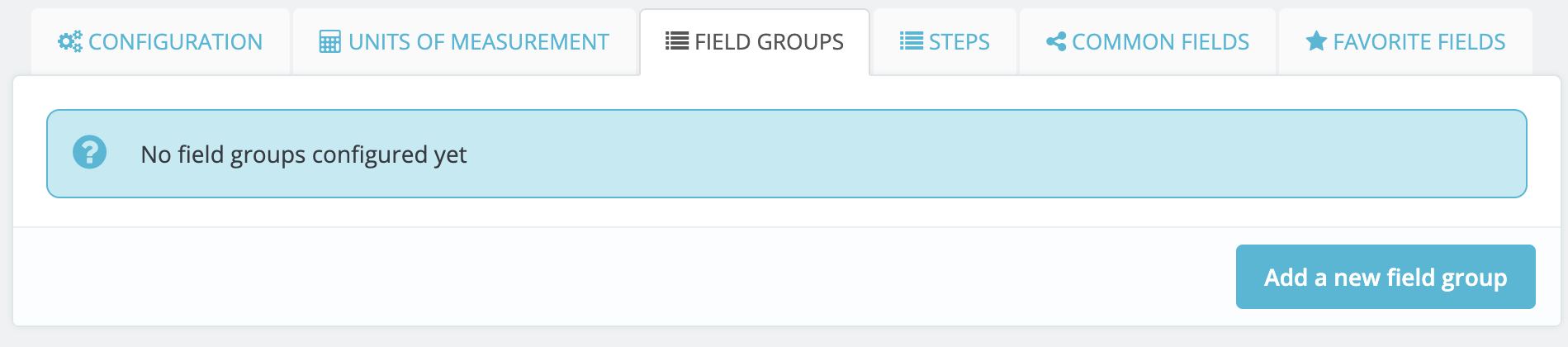
Then, you can add fields to your groups in the fields tab.
Then head to the groups tab in the product settings and add the group to your configuration.
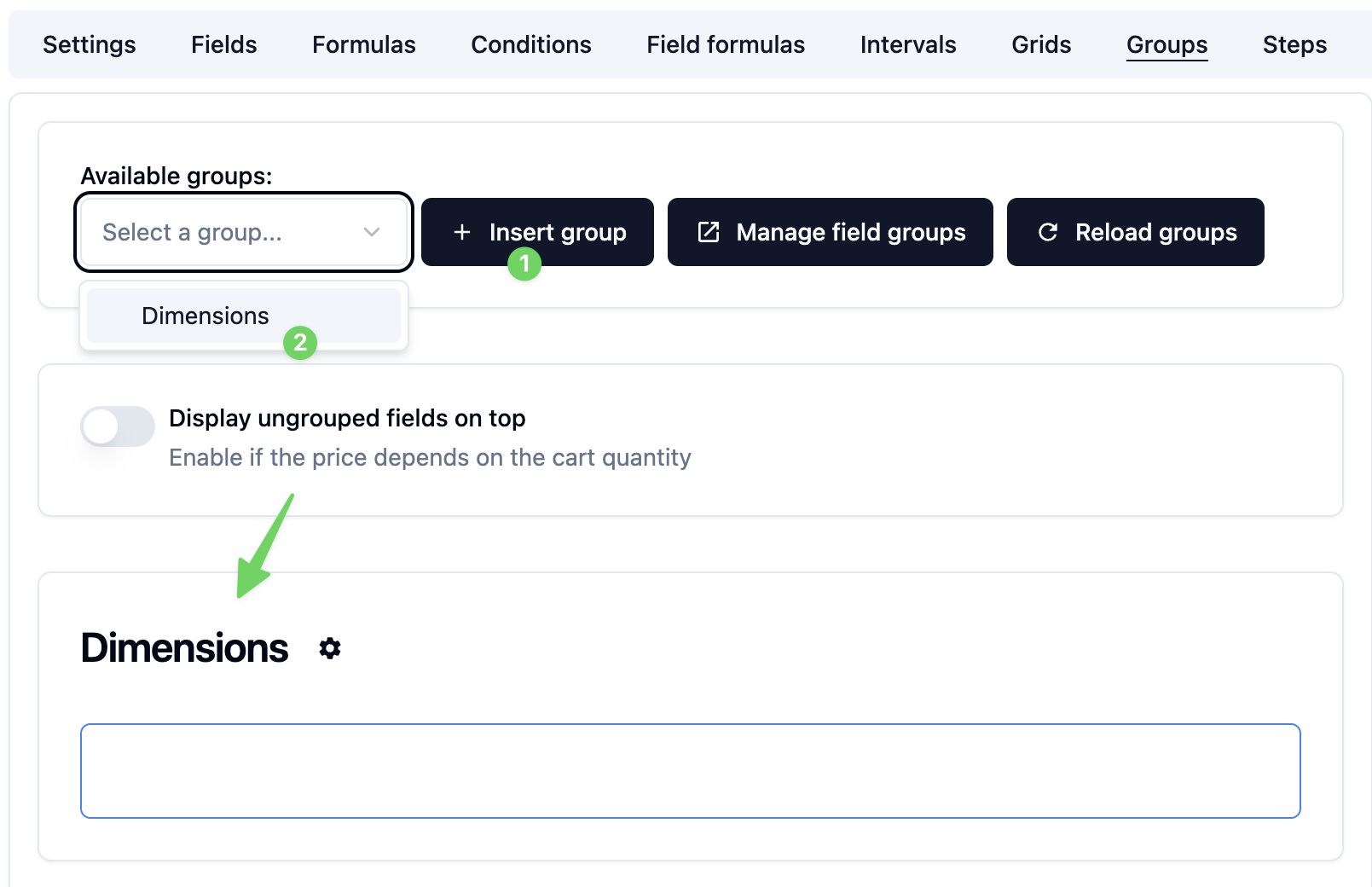
Then drag any field of your choice to the group.
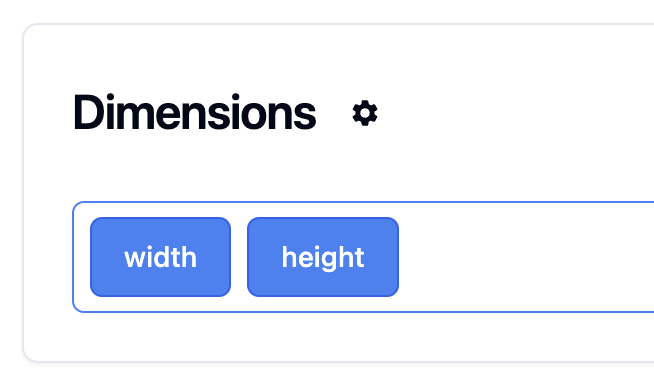
Your fields will now be grouped in the product form.
You can also choose whether to minimize the group or not.
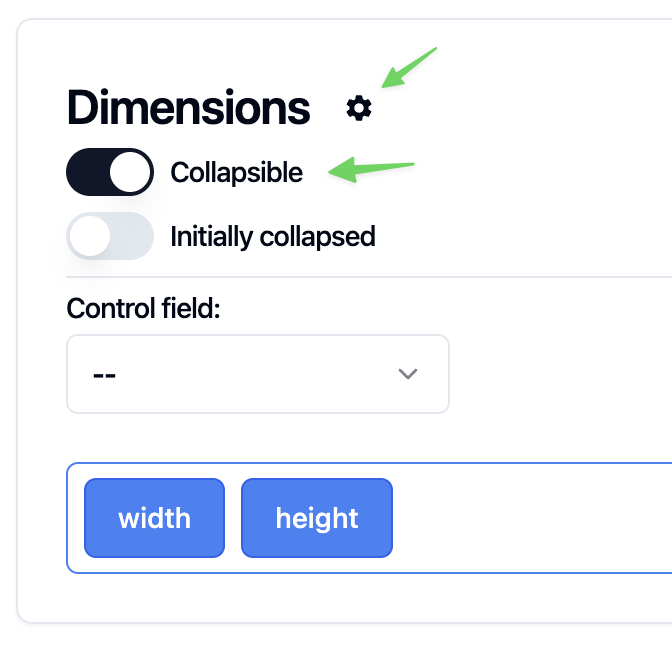
TODO: Add collapsed screenshot
Control field
The control field feature lets you duplicate a group of fields based on the value of the control field.
For example, if your product has a custom number of holes and each hole can have a different diameter.
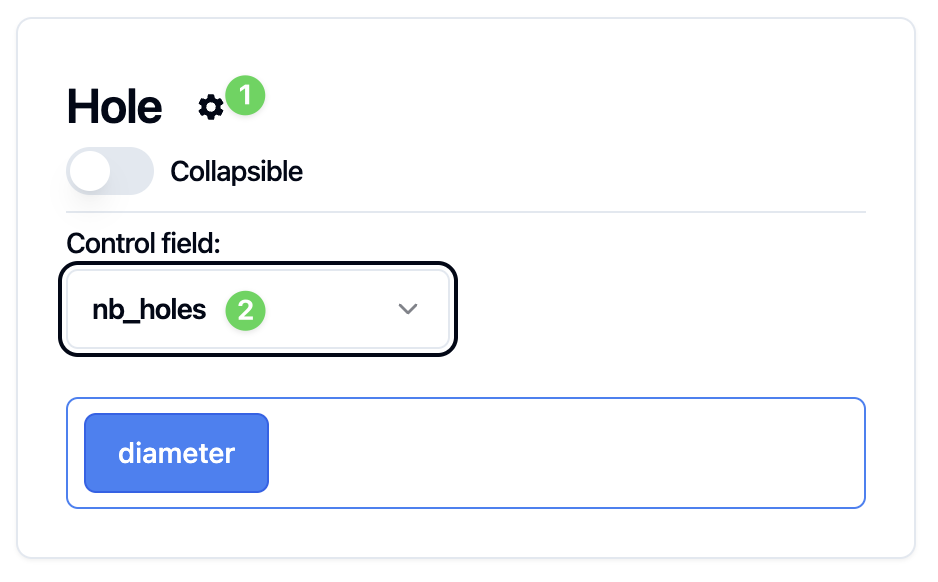
Start by creating a group of fields called Hole. Then add a field to it called Diameter.
We will control the group using the nb_holes field.
The customer can enter the number of holes they want.
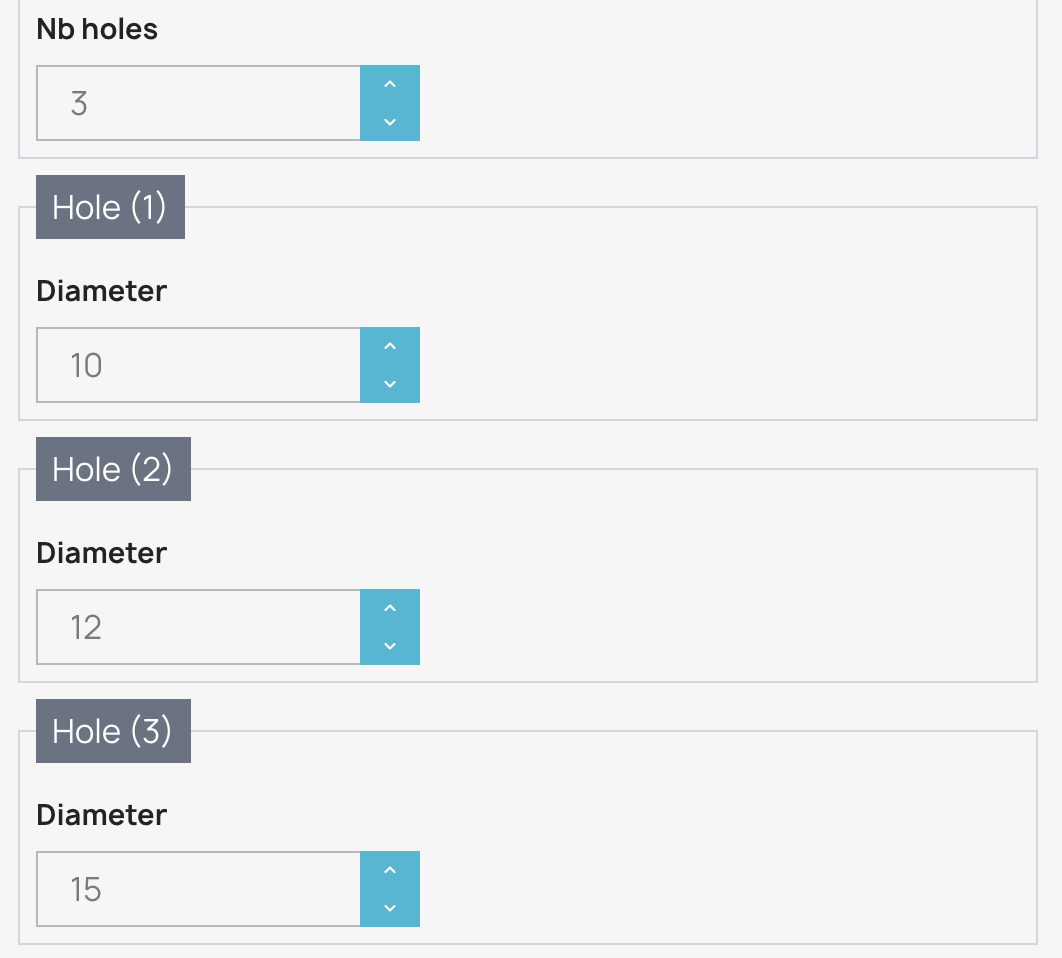
Then the group will be duplicated based on this number.
The diameter value will have the total of the duplicated diamter fields.