
Conditions
Conditions are used to show or hide fields based on a formula.
Basic Usage
Hide a field when the width is larger than 10
Formula:
js
[width] > 10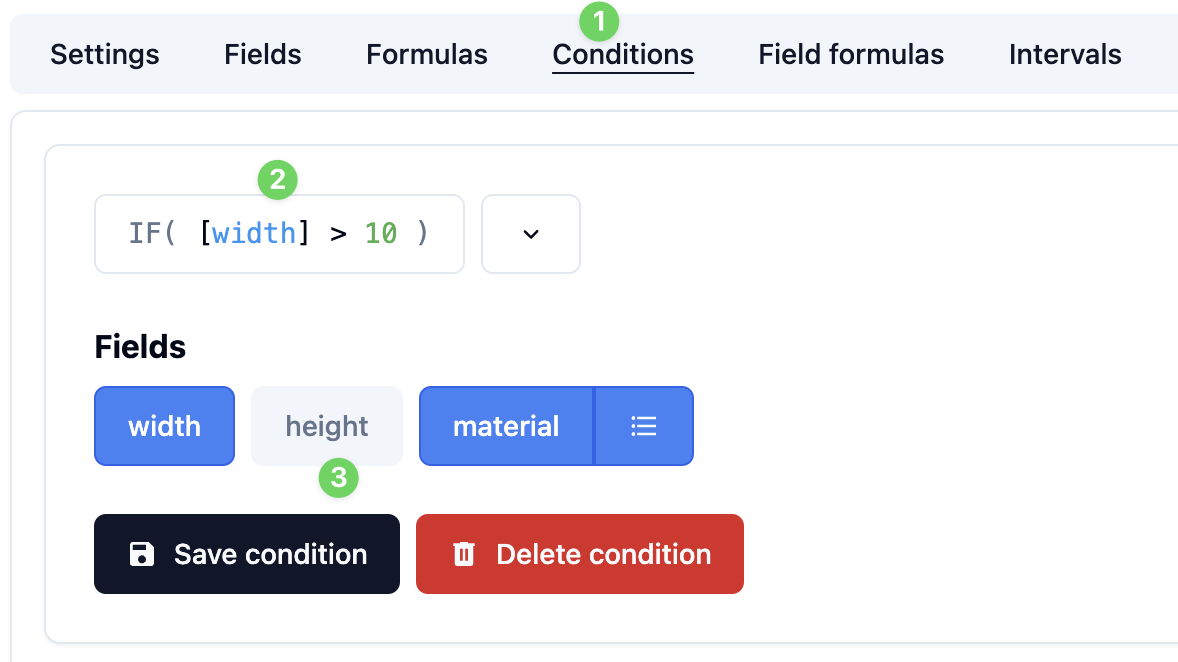
In this case, if the formula is true, the height field will be hidden.
Hide field options
You can also hide field options like this:
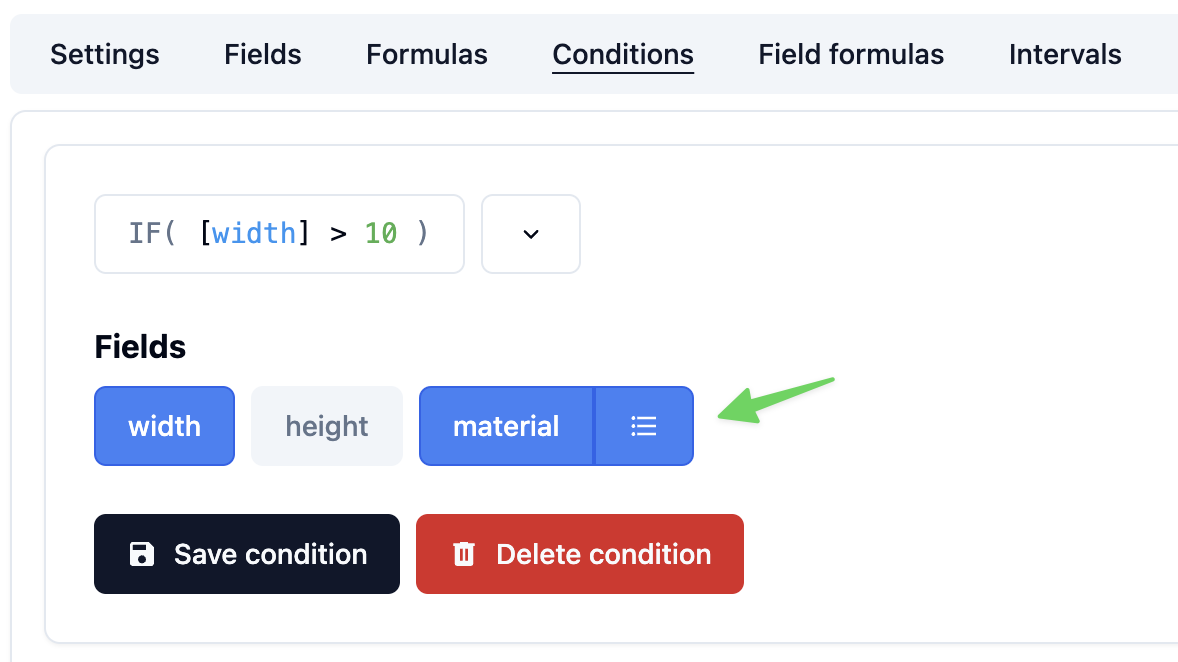
Then click any field option to hide it:

You can also hide groups and steps using the conditions.
TIP
When you hide a step, it will be disabled and not actually hidden.
As with other formulas, you can use the formula functions to implement more complex logic.
Other Examples
Here are some useful examples
js
// If the width is greater than 10
[width] > 10
js
// If the width is equal than 10 (Do not use ==)
[width] = 10
js
// If the width is NOT equal than 10
[width] != 10
js
// If the width is greater than or equal than 10
[width] >= 10
js
// If the width is less than or equal than 10
[width] <= 10
js
// If the text length is greater than 10 (Notice the double quotes)
STRLEN("[text]") > 10
js
// AND operator
STRLEN("[text]") > 10 & [width] > 10
js
// OR operator
STRLEN("[text]") > 10 | [width] > 10
TIP
You can use the formula functions to implement more complex logic.