
Grids
You can use grids to vary the value of a field based on two other fields.
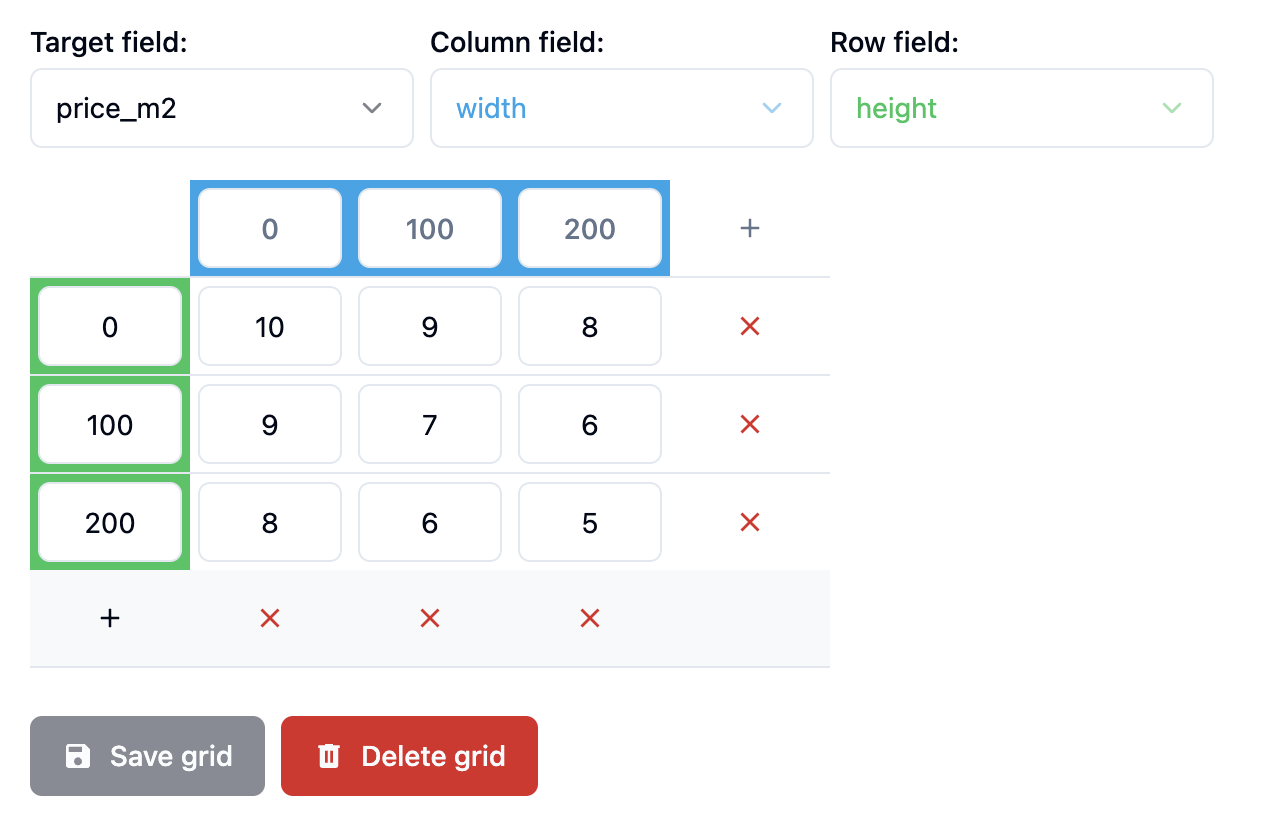
In this case, the price_m2 field is being varied based on the width and height fields.
A column is picked when the column field is equal or greater than the column value.
The same logic applies to the row field.
Here are some examples to clarify this:
widthequals 10: The first column is picked because0 <= 10 < 100widthequals 100: The second column is picked because100 <= 100 < 200
If the column field is greater than the last column value, the last column is picked.
widthequals 250: The third column is picked because200 <= 250
So following this logic, if the width is 75 and the height is 150, the price_m2 will be 6.
TIP
It is recommended to use the Grid formula function instead of the Grids feature because it's more efficient and more flexible.